How to Create a Digital Restaurant Menu with a QR Code
In the ever-evolving landscape of the hospitality industry, technology plays a pivotal role in enhancing customer experiences and streamlining operations. One such technological advancement is the use of digital QR menus. By integrating a QR code menu, restaurants can offer an innovative, contactless dining solution that is both efficient and engaging. Here’s a comprehensive guide on how to create a digital restaurant menu using QR codes.
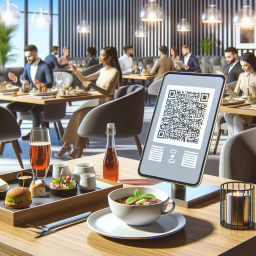
Why Opt for a Digital QR Menu?
Digital QR menus have become increasingly popular due to their numerous benefits, including:
- Contactless Dining: In a world increasingly concerned with hygiene, QR menus eliminate the need for shared physical menus, reducing the risk of germ transmission.
- Cost-Effective Operations: Digital menus save on printing costs and make updates instant, helping restaurants keep their offerings current without additional expenses.
- Enhanced User Experience: With features like photos and detailed descriptions, QR menus enhance the dining experience by providing more information to customers at their fingertips.
For those interested in implementing such a system, PlumQR's digital QR solutions offer a robust platform with a wide range of features designed specifically for restaurants and hotels.
Steps to Creating a Digital Restaurant Menu
Step 1: Gather Your Menu Information
Before diving into digital solutions, the first step is to have your menu information ready, including:
- Menu Items: Organize your dishes into categories (like appetizers, main courses, desserts).
- Descriptions: Write clear, enticing descriptions for each menu item.
- Pricing: Ensure all prices are accurate and reflect any recent changes.
- Images: High-quality images can greatly enhance the appeal of your menu items.
- Special Features: Consider using item tags such as spicy, gluten-free, or allergen notes to cater to customers with specific dietary needs.
Step 2: Choose a QR Menu Service Provider
Selecting a reliable partner is crucial for a seamless transition to digital menus. PlumQR provides an extensive range of features, ensuring a smooth operation of your QR menu system.
Key Features of PlumQR:
- Multiple Themes with Customizable Colors: Enhance your menu’s appearance by aligning it with your brand aesthetics.
- Multi-lingual Support: Cater to a diverse clientele by offering menus in various languages.
- Social Media Integration: Connect your digital menu with Instagram or Facebook to engage customers further.
- Custom Domain Support: Keep the restaurant’s identity intact by using your domain.
- Excel Download for Menu Snapshots: Keep records of your menu versions with ease.
To learn more about what PlumQR offers, visit their features page.
Step 3: Set Up Your Digital Menu
With all the necessary information and a chosen provider, follow these steps to set up your digital menu:
- Upload Menu Details to the Dashboard: Use the user-friendly interface to input or upload menu data, including items, descriptions, and prices.
- Design Your Menu: Customize the aesthetic elements of your digital menu using themes and colors that resonate with your brand.
- Configure Settings: Set up the menu settings to include item tags, multi-lingual options, and dietary labels.
Step 4: Generate and Display QR Codes
A crucial step in the process is creating and strategically placing your QR codes so guests can easily access your digital menu.
- Use PlumQR’s Quick QR Generator: This tool allows you to create QR codes effortlessly, which can be customized with your logo and brand colors. Visit PlumQR’s Quick QR Generator for more information.
- Strategic Placement: Ensure QR codes are readily available on tables, walls, or digital screens for easy scanning by your customers.
Step 5: Train and Inform Staff
Having your staff understand and efficiently explain the system to customers is indispensable. Provide training sessions to ensure they are familiar with assisting guests who may be unfamiliar with QR codes.
Maximizing the Potential of Your Digital Menu
Once your digital menu is up and running, consider making additional improvements to maximize its potential:
- Promotion of Special Offers: Use the digital platform to highlight promotions or special offers, encouraging patrons to return.
- Reviews and Feedback Collection: Implement PlumQR's Review QR to obtain customer feedback and improve service. More details can be found here.
- Social Media Engagement: Encourage guests to share their dining experiences on social media directly through the menu, increasing your restaurant's reach.
Conclusion
Incorporating a digital QR menu not only aligns with modern dining preferences but also provides significant advantages in terms of cost-efficiency, hygiene, and customer satisfaction. As technology continues to reshape the dining landscape, staying ahead with solutions like those offered by PlumQR can position your establishment as a leader in innovation and customer experience enhancement. Embrace the future of dining by leveraging digital QR menus and discernibly enhance both operations and guest satisfaction at your establishment today.